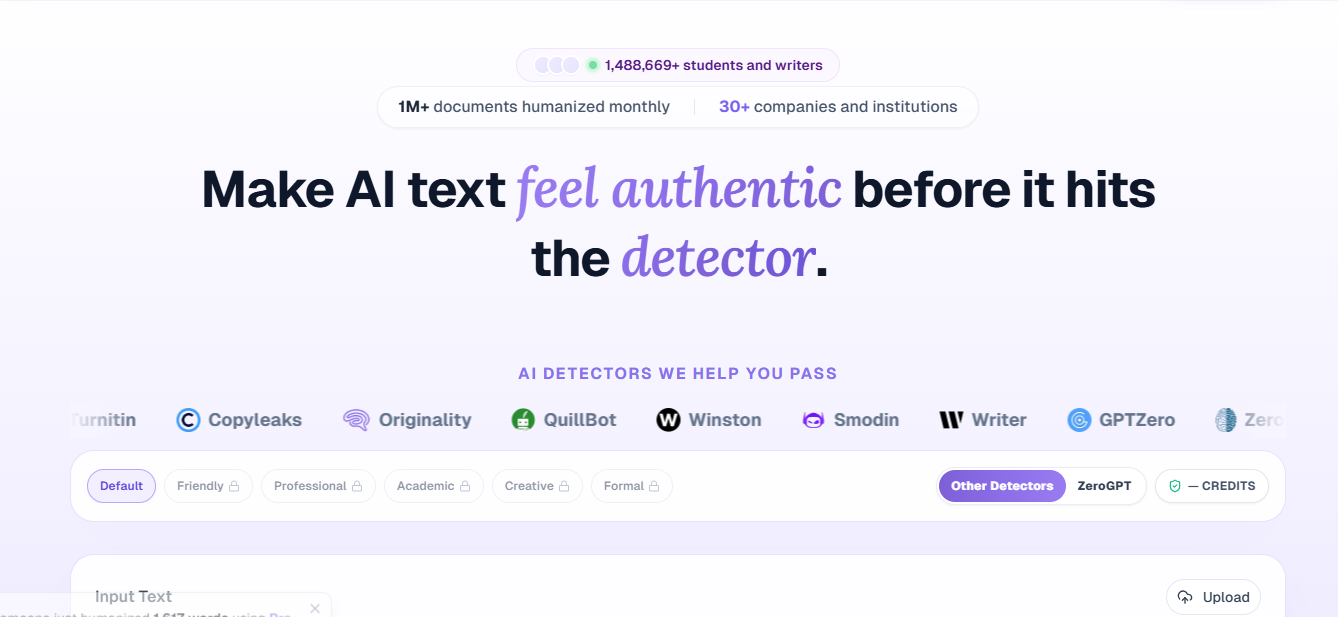
Most AI humanizers make a vague promise to beat “AI detectors” without saying which ones. Clarity Bubble takes the opposite approach, naming the specific detectors it targets right on the homepage. This review covers how its rewrite pipeline works, which detectors it’s built against, the browser extension, pricing, and where its claims deserve scrutiny.
What Is Clarity Bubble?
Clarity Bubble is an AI text humanizer that rewrites AI-generated content to read as human-written, aimed primarily at students, researchers, marketers, and content teams. The company states it has processed over 1 million documents and lists more than 30 companies among its users, alongside testimonials referencing use at academic institutions.
Rather than making a blanket bypass claim, Clarity Bubble names nine detectors it positions itself against directly: GPTZero, ZeroGPT, Turnitin, Copyleaks, Originality.ai, QuillBot, Winston AI, Smodin, and Writer. That specificity is unusual in this market and gives you something concrete to verify rather than a generic marketing line.
How the Humanization Pipeline Works
Clarity Bubble describes its process as three stages:
- Input analysis: scans the pasted text’s structure and wording for patterns that commonly raise AI flags.
- Pattern detection: identifies robotic phrasing and repetitive sentence syntax within that structure.
- Natural rewrite: applies more varied rhythm and lexical choice to the flagged sections while aiming to preserve the original meaning.
The company states this pipeline is informed by analysis of over 2.5 million writing samples, which it uses to distinguish AI-like phrasing from natural human variation. In practice, the workflow is simple: paste text, click humanize, and review the output. There’s no multi-step editor or outline builder here, the way there is on some competing all-in-one platforms.
Before and After Example
On its homepage, Clarity Bubble shows side-by-side examples across categories like academic essays, cold emails, and blog posts, each with a “before” passage flagged at a high AI score and an “after” version scored as human. These are vendor-selected examples rather than independently reproducible tests, so treat the specific percentage improvements as illustrative rather than a guaranteed outcome on your own text.
Detector Coverage

The nine detectors Clarity Bubble names span the categories that matter most in practice: academic-focused tools (Turnitin), general-purpose checkers (GPTZero, ZeroGPT, Copyleaks, Originality.ai, Winston AI, Smodin), and detectors bundled into competing writing tools (QuillBot, Writer). Showing detector-specific screenshots rather than a single aggregate score is a reasonable way to let a prospective user check the specific tool they’re worried about, though as with any vendor-published result, these are point-in-time screenshots rather than a live, repeatable benchmark you can rerun yourself.
Browser Extension

Clarity Bubble’s Chrome extension works by selecting text anywhere on the web, including X, LinkedIn, and Gmail, and humanizing it without switching tabs. This is a genuinely useful differentiator versus tools that only work through a dedicated web app, since it fits into drafting emails or social posts without a copy-paste round trip. The extension is gated behind the Pro and Ultra plans rather than included with Basic.
Pricing
Clarity Bubble offers three tiers, Basic, Pro, and Ultra, billed monthly or yearly (yearly is discounted). At the time of writing, the site was also running a limited-time 50 percent off promotion across all plans. The live dollar amounts are rendered dynamically on the pricing page rather than shown as static text, so they aren’t reproduced here; check claritybubble.com/pricing directly for current figures before comparing against competitors.
What differs across tiers, based on the feature lists shown for each:
- Basic: instant AI-to-human conversions, one-click copy and export, cancel or upgrade anytime.
- Pro: everything in Basic, plus all core humanization presets, ongoing feature updates at no extra cost, and Chrome extension access. Marked as the most popular tier.
- Ultra: everything in Pro, plus the highest word limits.
All plans are described as no-lock-in, with cancellation available at any time from account billing settings.
Pros
- Names specific detectors (GPTZero, Turnitin, Originality.ai, and others) rather than making a vague bypass claim
- Chrome extension humanizes text inline on any website, not just inside a dedicated editor
- Simple two-step workflow: paste text, humanize, no learning curve
- States SOC2-ready infrastructure for data handling
- Explicit responsible-use page distancing the tool from academic dishonesty framing
- Tone presets let you save a preferred style for repeated use
Cons
- Chrome extension access requires Pro or Ultra, not included on Basic
- Live pricing isn’t visible as static text on the page, making it harder to comparison-shop at a glance
- Before-and-after examples and detector screenshots are vendor-selected rather than independently reproducible
- No content generator, plagiarism checker, or other adjacent tools; this is a humanizer only, not a broader writing suite
- Detector pass rates can shift whenever GPTZero, Turnitin, or others update their own models, and Clarity Bubble’s screenshots reflect a point in time
Verdict
Clarity Bubble’s main pitch, naming the exact detectors it’s built against, is a more testable claim than most humanizers make, and the Chrome extension is a genuinely practical feature for anyone rewriting text across email, LinkedIn, or social platforms rather than in one dedicated editor. It’s a narrower tool than an all-in-one suite; there’s no writer, detector, or plagiarism checker bundled in, so it’s best evaluated purely as a focused humanizer. As with any tool claiming to beat named detectors, run your own test against the specific detector you’re worried about before relying on it for anything with real stakes.
FAQ
Which AI detectors does Clarity Bubble target? GPTZero, ZeroGPT, Turnitin, Copyleaks, Originality.ai, QuillBot, Winston AI, Smodin, and Writer, per the detectors named on its homepage.
Is Clarity Bubble free? The homepage is framed around a free humanizer, and Basic is positioned as an entry tier, but the exact free allowance and paid pricing are shown dynamically on the pricing page rather than as fixed numbers here.
Does the Chrome extension work on any website? Clarity Bubble states it works on X, LinkedIn, Gmail, and other sites generally, letting you select text and humanize it without leaving the page.
Is Clarity Bubble meant for cheating on assignments? The company explicitly states it is not a tool for academic dishonesty and publishes a responsible-use page encouraging use that enhances rather than replaces a student’s own work.
How is Clarity Bubble different from an all-in-one platform like Phrasly or QuillBot? Clarity Bubble focuses solely on humanization and detector-bypass, without bundling a detector, content generator, or plagiarism checker into the same subscription. That makes it narrower in scope but more focused if humanizing is the only feature you need.