
Site: acoustictext.com
If you’ve been generating drafts with ChatGPT, Claude, or Gemini and then spending an hour rewriting them so they don’t sound robotic, AcousticText is built to shortcut that step. It’s a web based “AI humanizer”: paste in AI generated text, and it rewrites the structure, tone, and flow so the output reads like it was written by a person, while claiming to hold up against the major AI detection tools in the process.
Below is a full walkthrough of what the tool does, how it works, its pricing structure, and where it fits (and doesn’t) in a responsible content workflow.
What AcousticText Does
At its core, AcousticText is a text rewriting engine with one specific job: take AI generated content and reprocess it so it reads as authentically human written. The homepage frames this as going beyond simple synonym swapping. It claims to use “advanced neural processing” to restructure sentences, vary rhythm, and adjust tone rather than just substituting words, which is the usual giveaway that flags older generation “spinner” tools.
The site states it’s used by 716,000+ writers worldwide, spanning students, freelancers, and content teams.
The Editor Interface
The core product is a browser based text editor on the homepage:
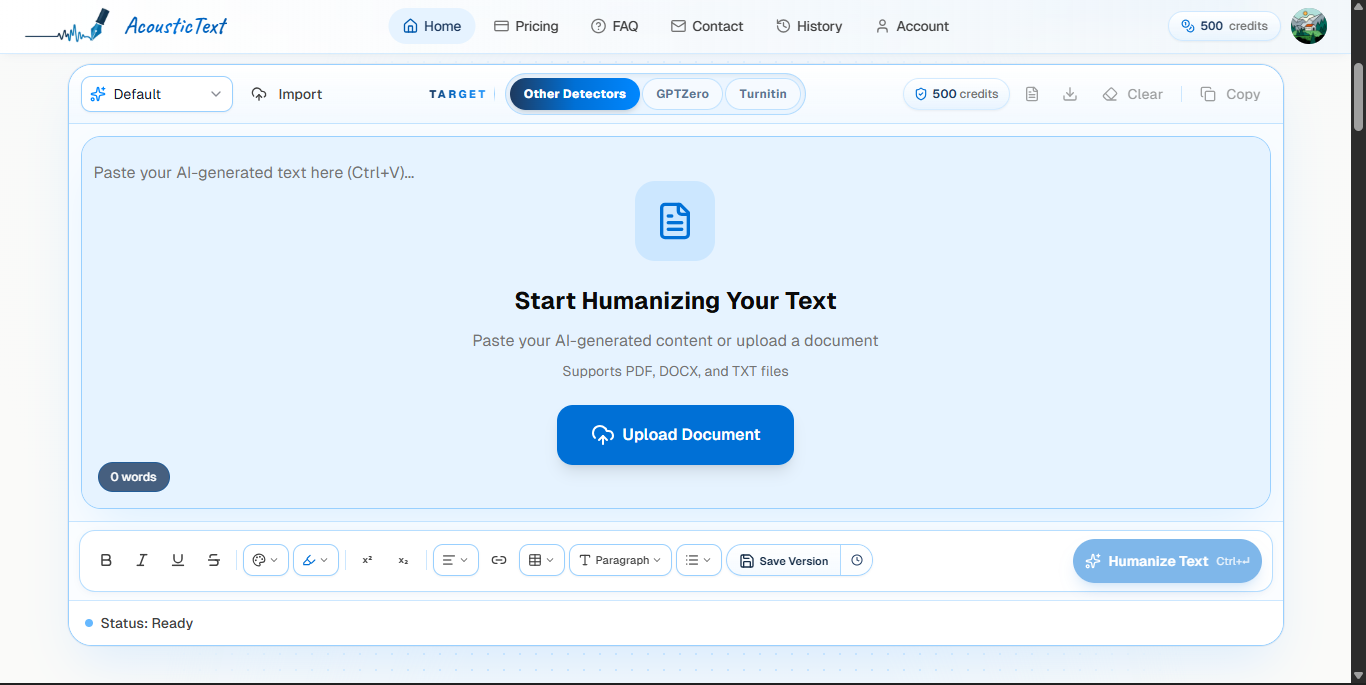
- Paste or upload: you can paste text directly, or upload a document. Supported formats are PDF, DOCX, and TXT.
- Import / Target controls: top left has an “Import” option; next to it, a Target selector lets you pick which detector profile you’re optimizing against, with choices for Other Detectors, GPTZero, or Turnitin.
- Credits counter: your remaining credit balance sits in the top bar and updates live as you use the tool (500 on the free tier, ticking down with each humanize).
- Rich text toolbar: bold, italic, underline, strikethrough, headings, lists, tables, links, paragraph styling, and version history/save controls sit along the bottom of the editor, so this behaves more like a lightweight doc editor than a bare textbox.
- Live word count and status: a status indicator (“Ready,” “Complete,” etc.) and running word count track your session.
- Clear / Copy / Download controls: utility buttons to reset the editor, export, or copy your humanized output.
How It Works: 3 Step Process
AcousticText frames its workflow as three simple steps:
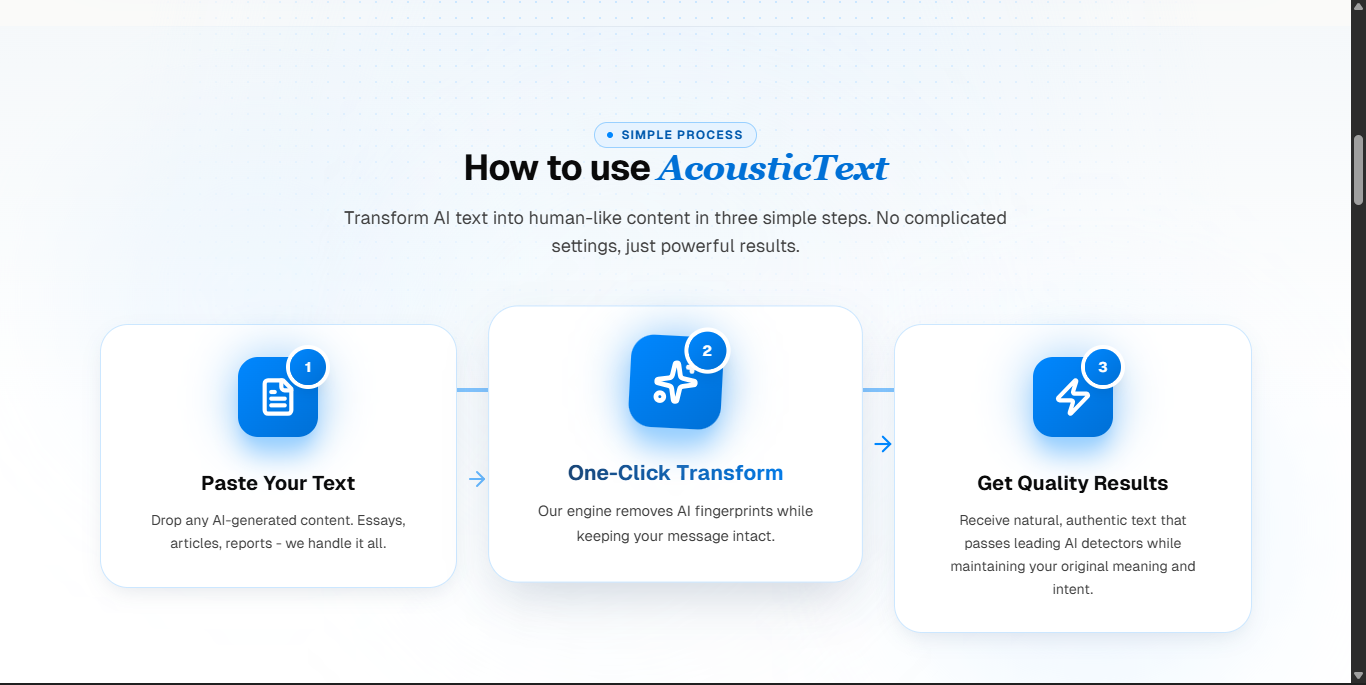
- Paste Your Text: drop in AI generated content. Essays, articles, reports, it handles them all.
- One Click Transform: the engine reprocesses the text to remove “AI fingerprints” (statistical patterns detectors key on) while preserving the original meaning.
- Get Quality Results: you receive rewritten, natural sounding text intended to read as human authored while keeping your original intent intact.
What the output actually looks like
Here’s the editor mid transform, showing the original text on the left and the humanized version on the right, side by side:
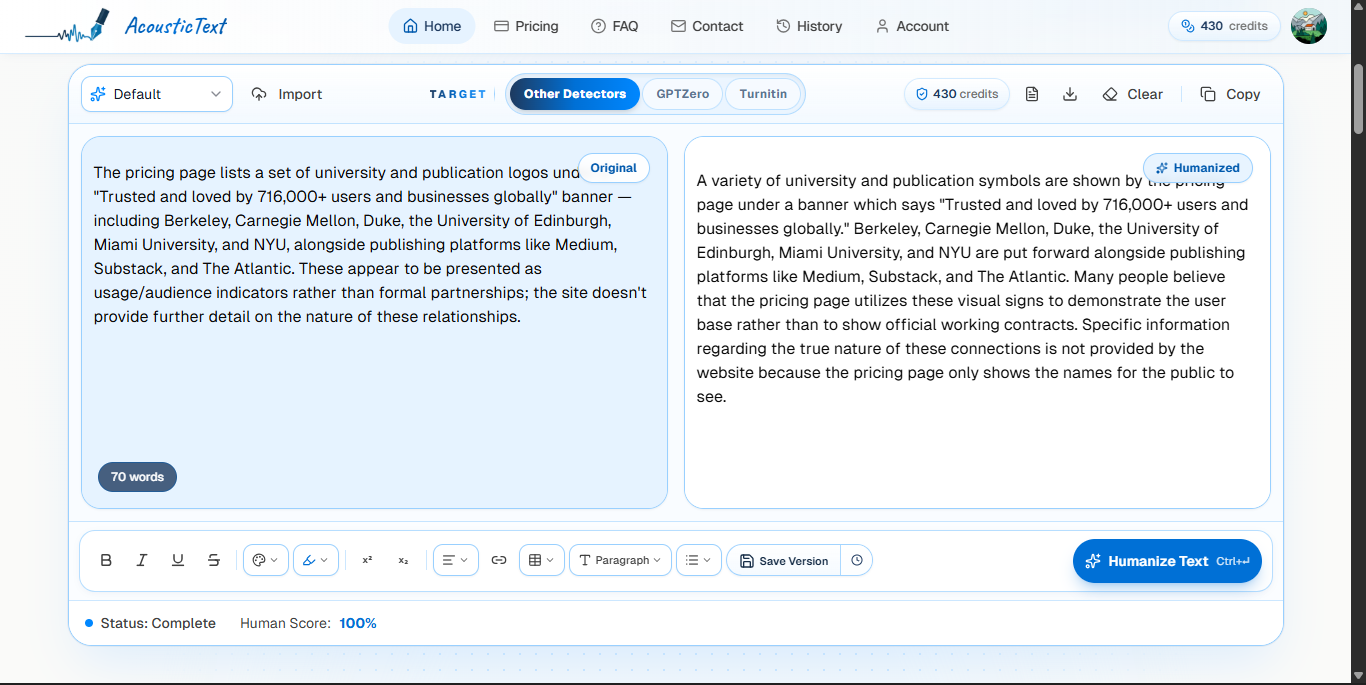
The rewrite noticeably restructures sentences rather than just swapping synonyms. Clauses get reordered, sentence boundaries shift, and phrasing is loosened up (for example, “These appear to be presented as…” becomes “Many people believe that the pricing page utilizes these visual signs to demonstrate…”). That’s consistent with the site’s claim of doing structural rewriting rather than simple word replacement, though it’s also noticeably wordier than the original in this sample.
Detector Compatibility
This is the tool’s central selling point. AcousticText advertises that its output is built to hold up against a long list of industry standard AI and plagiarism detectors, including:
- Turnitin
- GPTZero
- Originality.ai
- Copyleaks
- Pangram
- QuillBot
- Winston AI
- ZeroGPT
- Writer
- Smodin
- Sapling
- Undetectable AI
- Scribbr
- Grammarly AI
The site backs this up with a results section showing sample outputs scored by these platforms, including a published Copyleaks result labeled “Human”:

Worth noting: detector bypass claims like these are inherently a moving target. Detection vendors update their models regularly, and a result captured at one point in time isn’t a guarantee of future performance. Treat marketing screenshots like this as a snapshot, not a permanent benchmark.
Who’s Reportedly Using It
The pricing page lists a set of university and publication logos under a “Trusted and loved by 716,000+ users and businesses globally” banner, including Berkeley, Carnegie Mellon, Duke, the University of Edinburgh, Miami University, and NYU, alongside publishing platforms like Medium, Substack, and The Atlantic. These appear to be presented as usage/audience indicators rather than formal partnerships; the site doesn’t provide further detail on the nature of these relationships.
Pricing
AcousticText uses a credit based system: 1 credit equals 1 word.
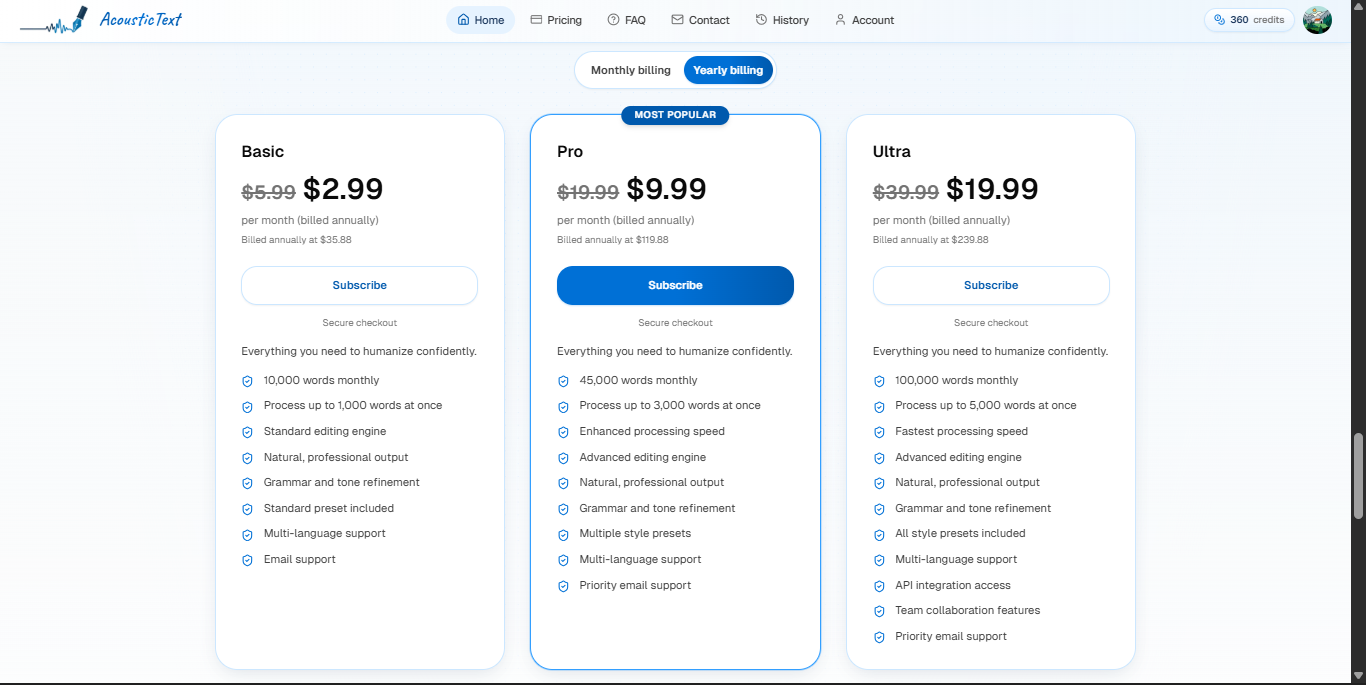
| Free | Basic | Pro | Ultra | |
|---|---|---|---|---|
| Price (billed annually) | $0 | $2.99/mo ($35.88/yr) | $9.99/mo ($119.88/yr), Most Popular | $19.99/mo ($239.88/yr) |
| Monthly word credits | 500 | 10,000 | 45,000 | 100,000 |
| Words per request | none | 1,000 | 3,000 | 5,000 |
| Editing engine | none | Standard | Advanced | Advanced |
| Processing speed | none | Standard | Enhanced | Fastest |
| Style presets | none | Standard preset | Multiple presets | All presets |
| Multi language support | none | Yes | Yes | Yes |
| API integration | none | none | none | Yes |
| Team collaboration | none | none | none | Yes |
| Support | none | Priority email | Priority email |
Plans support both monthly and annual billing (annual gets the discounted rate shown above), and credits reset automatically each billing cycle. There’s also a free tier of 500 credits to try the tool before committing, and the Pro tier at $9.99/mo is flagged as the “Most Popular” option.
Privacy & Data Handling
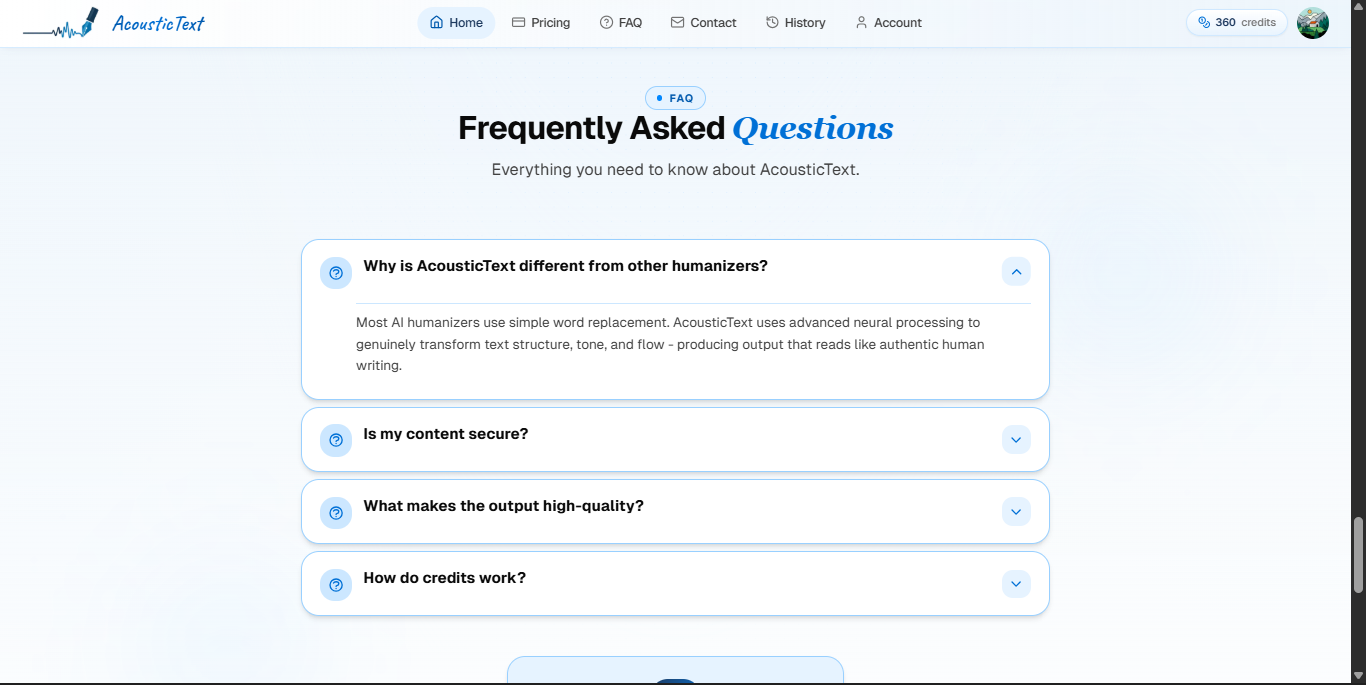
Per the FAQ, AcousticText states:
- Content is encrypted end to end
- Text is never stored permanently
- User data is not used to train their models
- Users can delete their history at any time
A Note on Responsible Use
AcousticText’s own footer carries a disclaimer worth repeating rather than glossing over:
“AcousticText is not a tool for academic dishonesty or cheating. We encourage responsible use that enhances your work while respecting academic integrity.” From the Responsible Use policy
That disclaimer sits in some tension with the product’s headline pitch, which explicitly lists Turnitin as a target detector to “bypass.” In practice, tools like this get used in a wide range of contexts. Smoothing legitimate AI assisted drafts for blogs, marketing copy, or non graded writing is very different from submitting AI written work as your own for an assignment that’s meant to assess your own writing or understanding. If you’re evaluating this for a workflow, it’s worth being explicit internally about which of those use cases you’re actually solving for, since the second one can carry real academic or professional consequences independent of whether a detector flags it.
Bottom Line
AcousticText is a straightforward, credit metered humanizer: paste or upload AI text, pick a target detector profile, and get back a rewritten version aimed at reading as human authored, complete with a before/after diff view and a “Human Score” on each run. Its strongest selling points are breadth of supported detectors, an accessible entry price (from $2.99 to $19.99 a month), a free tier to test before paying, and stated privacy protections (no permanent storage, no training on user data). The main thing to verify yourself before relying on it for real work is current detector bypass accuracy. That’s a moving target since detection vendors update their models regularly, and a “100% Human Score” today isn’t a permanent guarantee.
Try it: acoustictext.com